Home/Features
§ Features

What the app does that a web page cannot

7,000+ guides, maps, on-device Ask, Bluetooth chat (BETA), unlimited PDFs, and 12 tools. Then SOS home, checklists, and red-light. None of the library is published here. That corpus is the app.

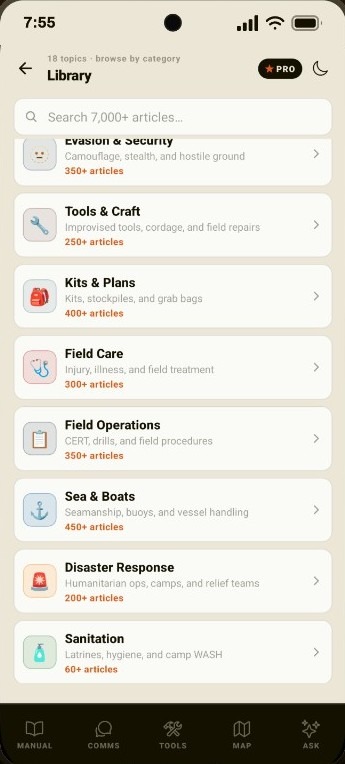
Library screen listing 18 topics to browse by category, including Evasion and Security, Tools and Craft, Kits and Plans, Field Care, Field Operations, Sea and Boats, Disaster Response, and Sanitation.

7,000+ guides. Search on the phone.

Water, fire, shelter, field care, sea and disaster. 18 topics you download once. After that, no cloud.

Free: ~100 starters across all 18 topics. Pro: the full 7,000+ library (~39 MB).

  • 18 topics, searchable on the device
  • Download once (~39 MB), then it stays on the phone
  • Free keeps a starter slice (~100). Pro is the full set
  • The corpus is not published on this website
Library details →
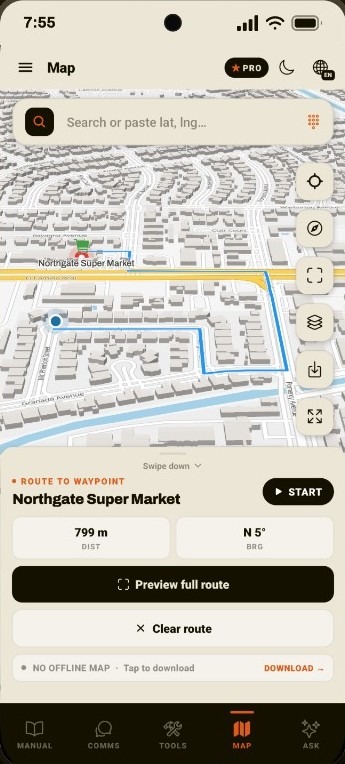
Map screen routing to Northgate Super Market. Blue road path, 799 m remaining, bearing N 5 degrees, with Preview full route, Clear route, and an offline map download prompt.

Route there with no data plan.

Download a map pack on Wi-Fi. Then GPS, distance, bearing and a drawn path run on the phone, even with zero bars.

Free previews the UI. Pro downloads the pack.

  • Download My Area or a country pack on Wi-Fi
  • Route to a Comms pin or coordinates you type
  • GPS, distance, and bearing with zero bars
  • Hospitals, water, fuel, fire stations, and camp sites
Maps details →
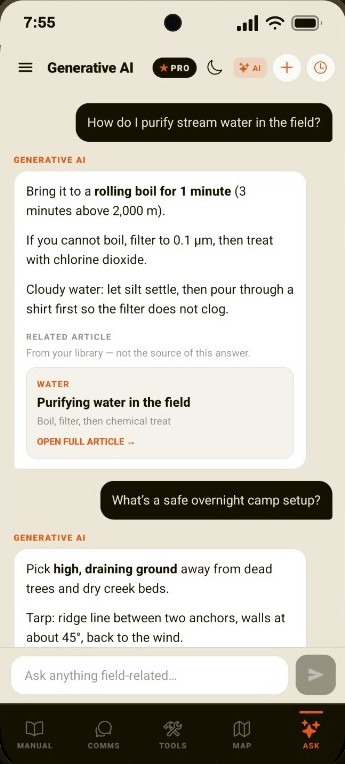
Ask screen in Generative AI mode. User asks how to purify stream water and how to camp overnight. Replies cover boiling, filtering, and a tarp setup, with a related water article card.

Ask the local AI. Not the cloud.

Type a field question. The phone answers from your offline library and links the matching guide. No internet required.

Free: locked. Pro: unlimited after the on-device model download.

  • Answers from the library on the phone, not a cloud chatbot
  • Related guides sit under the reply so you can open them
  • Works with no signal once Pro is unlocked and the model is on-device
  • No Free message quota. Unlimited on Pro
Ask details →

No tower. No login. The phone is the kit.

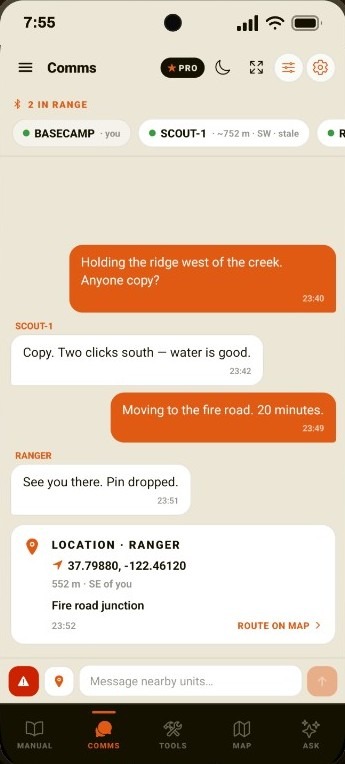
Comms screen with BASECAMP, SCOUT-1, and RANGER. Two-sided mesh chat and a RANGER location pin for the fire road junction.

Chat phone to phone. No tower.

Beta Bluetooth chat with nearby Last Manual users. Share GPS, drop a pin, send SOS. No SIM, no Wi-Fi, no server.

Beta. Free: locked. Pro: unlimited. Local, not end-to-end encrypted.

  • Bluetooth between Last Manual phones. No SIM.
  • SOS and location share with a short note
  • Incoming pins open a route on Map
  • Honest range: a street or a clearing, not a county
Comms details →
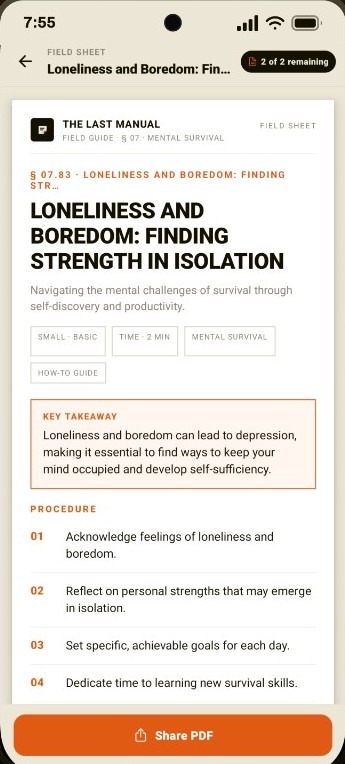
PDF field sheet for Loneliness and Boredom: Finding Strength in Isolation. Header, key takeaway, numbered procedure, and a Share PDF bar. Badge shows 2 of 2 remaining.

Print it. Pin it. Pass it on.

Any guide exports as a clean field sheet PDF. Share it, print it, tape it inside the kit lid. Free gives you 2. Pro exports all 7,000+ guides, unlimited.

Free: 2 lifetime distinct articles. Pro: unlimited.

  • Generated on the phone. No printer cloud
  • Formatted like a clipboard sheet: takeaway plus steps
  • Free sample of 2 distinct articles
  • Paper still works when the battery does not
PDF details →
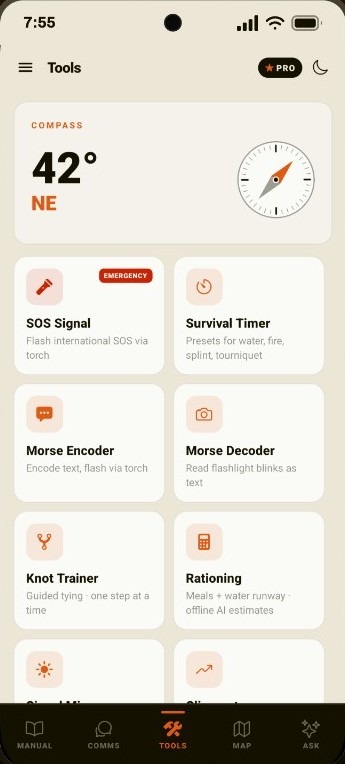
Tools screen with a live compass at 42 degrees NE and a grid of field instruments: SOS Signal, Survival Timer, Morse Encoder, Morse Decoder, Knot Trainer, and Rationing.

SOS, Morse, compass and knots.

Flash SOS on the torch, encode or read Morse, navigate, train knots, ration food and water. 12 tools, all offline.

SOS, whistle, timer, compass, and rationing stay free. The rest unlock with Pro.

  • Live magnetic compass on the Tools tab
  • SOS torch, Morse encode and decode
  • Knot trainer, one step at a time
  • Rationing for meals and water runway
Tools details →

When the battery dies, paper still works.

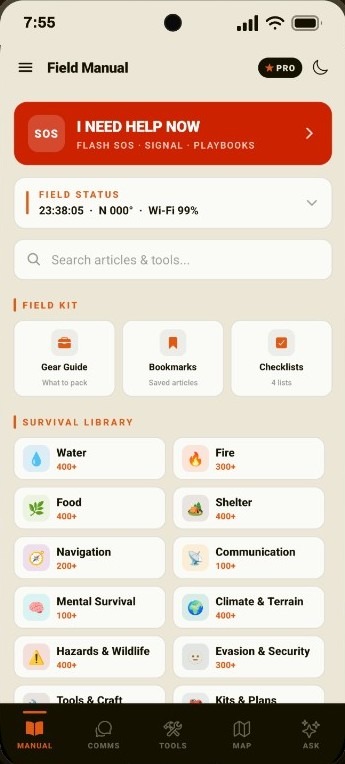
Field Manual home. SOS I Need Help Now, Field Status, search, Field Kit tiles for Gear Guide, Bookmarks, and Checklists, and a Survival Library grid starting with Water and Fire.

Help now. Then the full kit.

Tap SOS for 8 crisis playbooks, then search 18 topics, gear and checklists. Stored on the phone, not the cloud.

SOS playbooks and the starter library stay free. Pro fills the rest.

  • SOS for 8 crisis playbooks from Home
  • Search 18 topics without leaving the dashboard
  • Gear Guide, Bookmarks, and Checklists on the Field Kit row
  • Stored on the phone, not the cloud
Topic hubs →
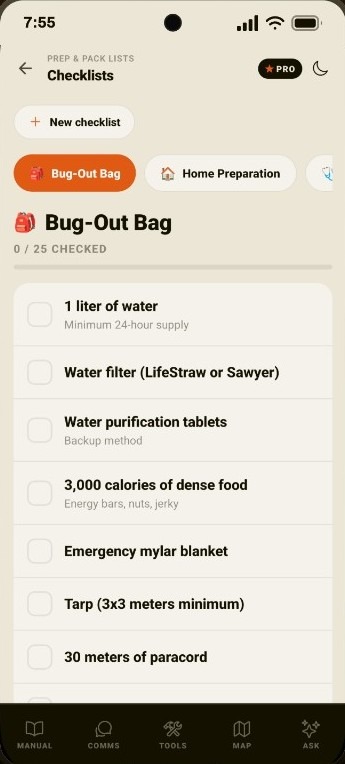
Prep and Pack Lists. Bug-Out Bag checklist with 0 of 25 checked, including 1 liter of water, a water filter, purification tablets, dense food, a mylar blanket, tarp, and paracord.

Bug-out bag. Home. Medical kit.

Ready-made packing lists for grab bags, home prep and field kits, or build your own. Saved on the phone, not the cloud.

Checklists stay on the device. No account.

  • Bug-out, home, and medical lists ready to tick
  • Build your own list on the phone
  • Counts stay local. Nothing syncs to a cloud
  • Open from Home, Field Kit
Version details →
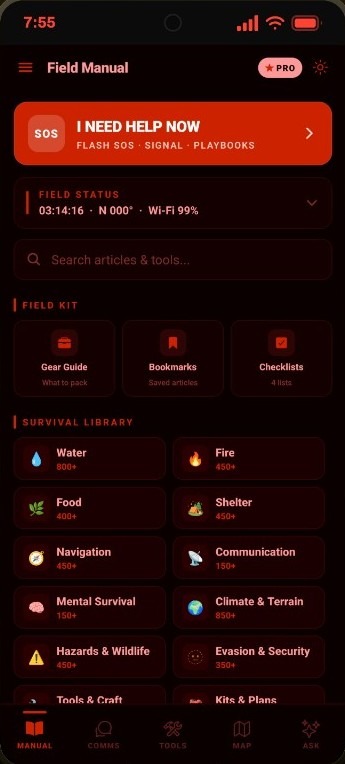
Field Manual in red-light mode. OLED black and red Home screen with SOS, Field Status, Field Kit, and Survival Library tiles, plus a sun icon to leave night mode.

Read in the dark. Keep night vision.

OLED black and red so you can read without blowing your night vision. Panic mode and battery saver sit one tap away.

Red-light, panic, and battery saver ship on Free.

  • Red-light mode from the header on every screen
  • Built for OLED so the blacks stay black
  • Panic mode and battery saver in the same tap cluster
  • Same layout as daylight. No new UI to learn in the dark
Version details →

Also in version 1.0.0

Version 1 also ships these field pieces in the same Android binary. Full list on Version 1.0.0.

  • Home field status. A Field Status button sits under SOS. Tap it to read clock, heading, network, Comms peers, lat/lon, altitude, and speed as text. Tap a reading to open its tool. GPS stays off until you enable it.
  • Field Kit on Home. Gear Guide, Bookmarks, and Checklists sit on the Field Manual dashboard: one row under search, not buried in a sidebar.
  • Comms SOS and location notes. Optional short note on SOS and location shares: meeting point, delay, landmark. Proximity heartbeats stay note-free.
  • Comms pins on Map. Incoming SOS, location shares, and live peer GPS drop as markers. Route on Map flies there and starts navigation when GPS is ready. The Map tab stays in the bar.
  • Typed coordinates and field POIs. Paste or type latitude and longitude on Map. Show drops a pin; Route here draws the road path. Offline POI layers include hospitals, water, fuel, fire stations, and camp sites.
  • Data deletion. Me & Settings opens thelastmanual.com/data-deletion. There is no account; local data leaves with uninstall or the form.

More

What works offline · Version 1.0.0 · Pricing · Tools

Then get it on the phone

You’re reading this with a signal. The situation it describes is one where you won’t have one.